
Adding a signature to a Word document can be a useful way to make your files look more professional and personalized. In this article, we will guide you through the simple steps to add a signature in Word.
Step 1: Create Your Signature
Before adding your signature to Word, you need to create a digital version of your signature. You can do this by signing a piece of paper and scanning it, or using a digital signature tool to create an electronic signature.
Step 2: Insert Signature Image
Once you have your digital signature ready, you can proceed to insert it into your Word document. To do this, place your cursor where you want the signature to appear, then go to the ‘Insert’ tab on the top menu bar.
Step 3: Insert Image
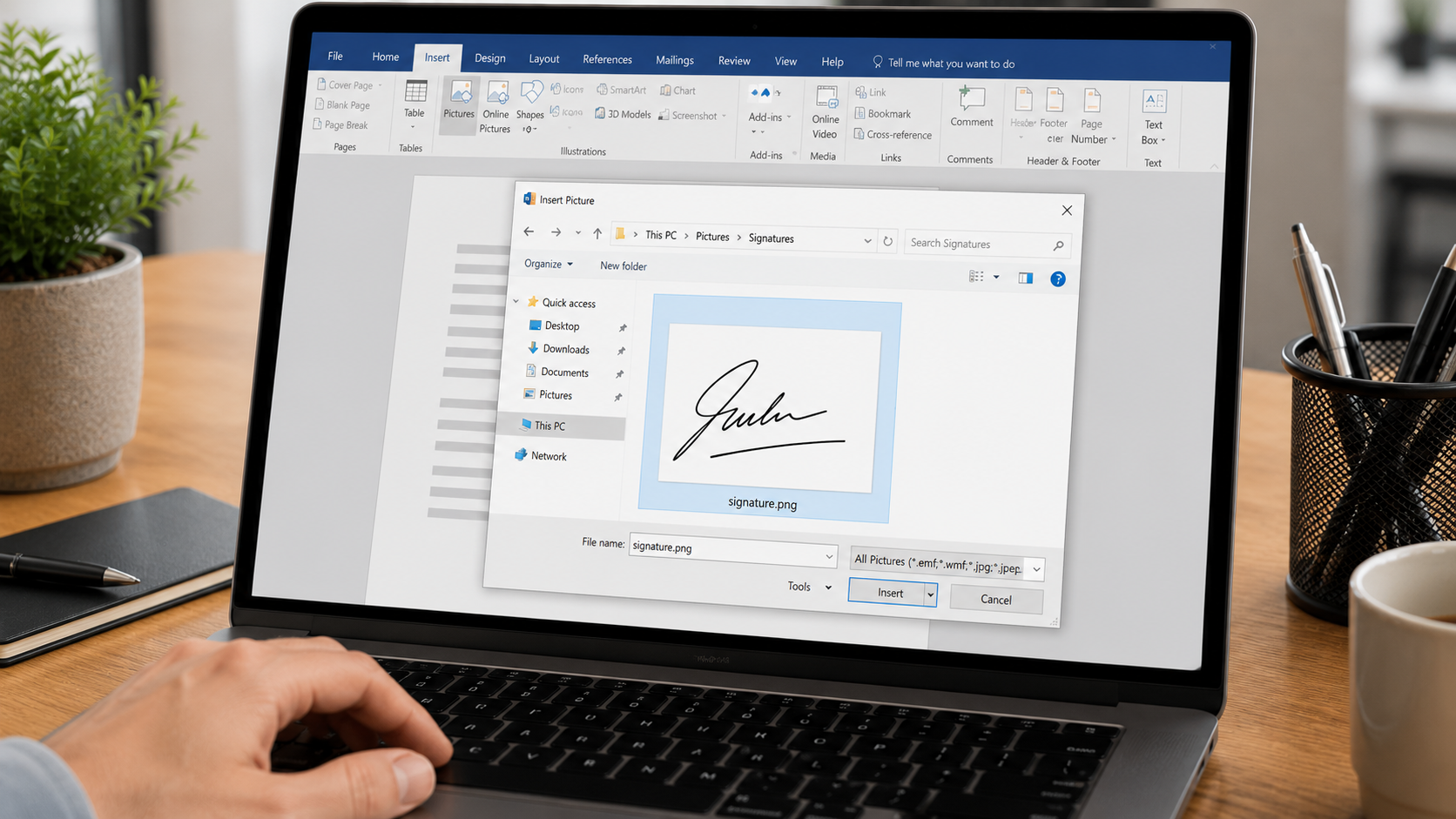
Click on the ‘Pictures’ option in the ‘Illustrations’ group, then select the image file that contains your signature. You can also drag and drop the image directly into the Word document.
Step 4: Resize and Position
After inserting the signature image, you can resize it by clicking and dragging the handles at the corners. You can also move the signature to the desired location by clicking and dragging it to the appropriate spot on the page.
Step 5: Save Your Document
Once you have added your signature to the Word document, remember to save the file to retain the signature in the document. You can also save the document as a template for future use with the signature included.
Tips and Tricks
- Make sure the signature image is clear and legible to ensure it looks professional in the document.
- You can also add a border around the signature to make it stand out more.
- Consider adding your signature to a transparent background to blend seamlessly with the text in the document.
For more tips on how to enhance your Word documents, you can visit Microsoft Office Support or TechJunkie.
Now that you know how to add a signature in Word, you can personalize your documents and give them a professional touch. For more information on digital signatures and document security, check out Greener Daily Life for useful resources and guides.